AI Assistant: Building a Principled UX Foundation for AI Learning Features
TL;DR Leadership determined that an AI assistant for learners was strategically important for competitive positioning — even though the specific user problem it would solve wasn't yet defined. I designed the interaction patterns and UX framework from the ground up, integrating it seamlessly into WorkRamp's core Guides experience while balancing competitive pressure with the need to build something genuinely trustworthy. It shipped, and we're now gathering real usage data to inform what comes next.
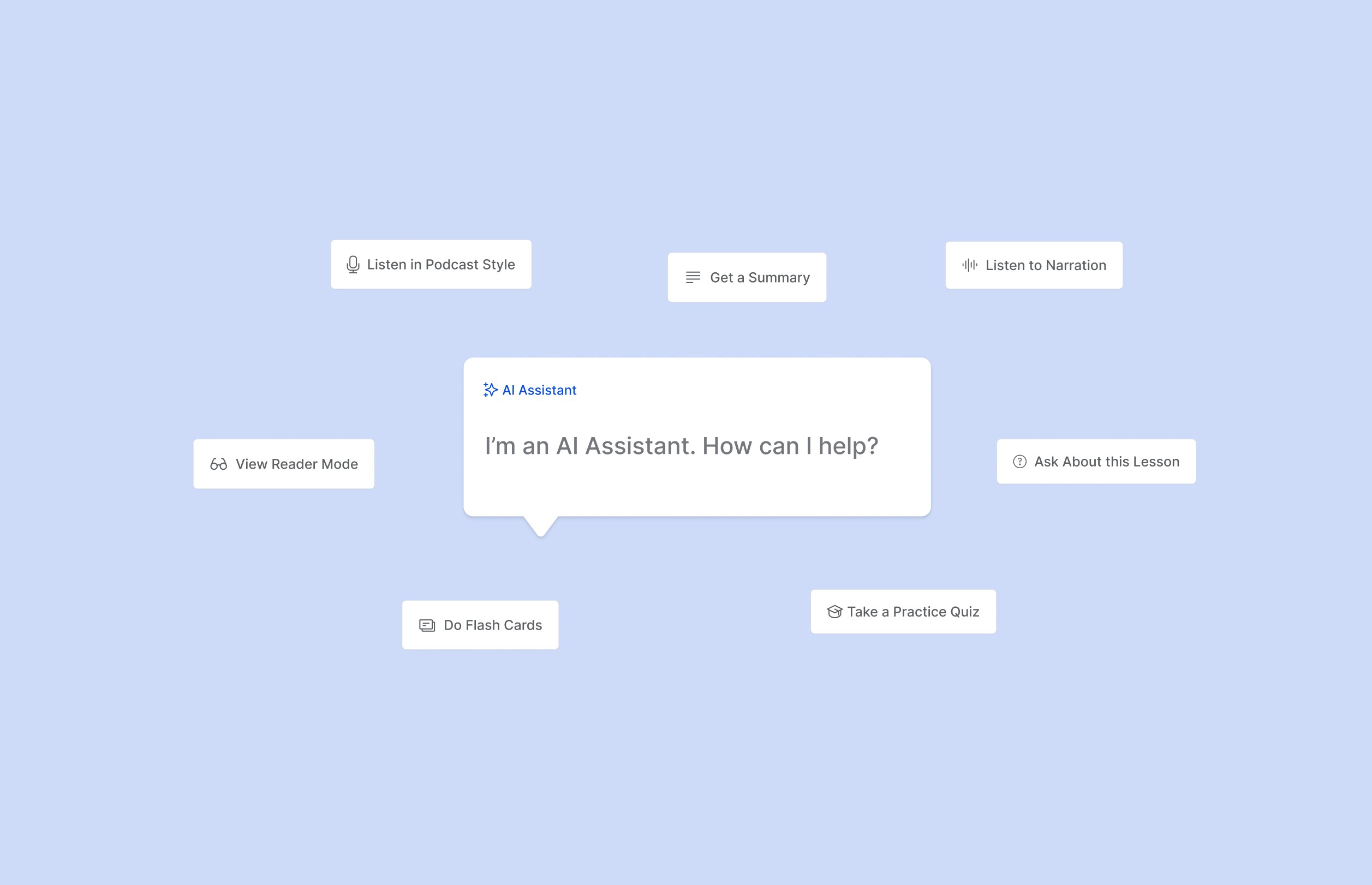
AI Assistant demo built with Cursor
I set up this interactive AI prototype to explore interactions, speed up iterations with engineering, then I used Github for version control, and deployed it with Vercel. Explore it live: https://guide-ai-assistant.vercel.app/
1) Navigating Strategic Ambiguity
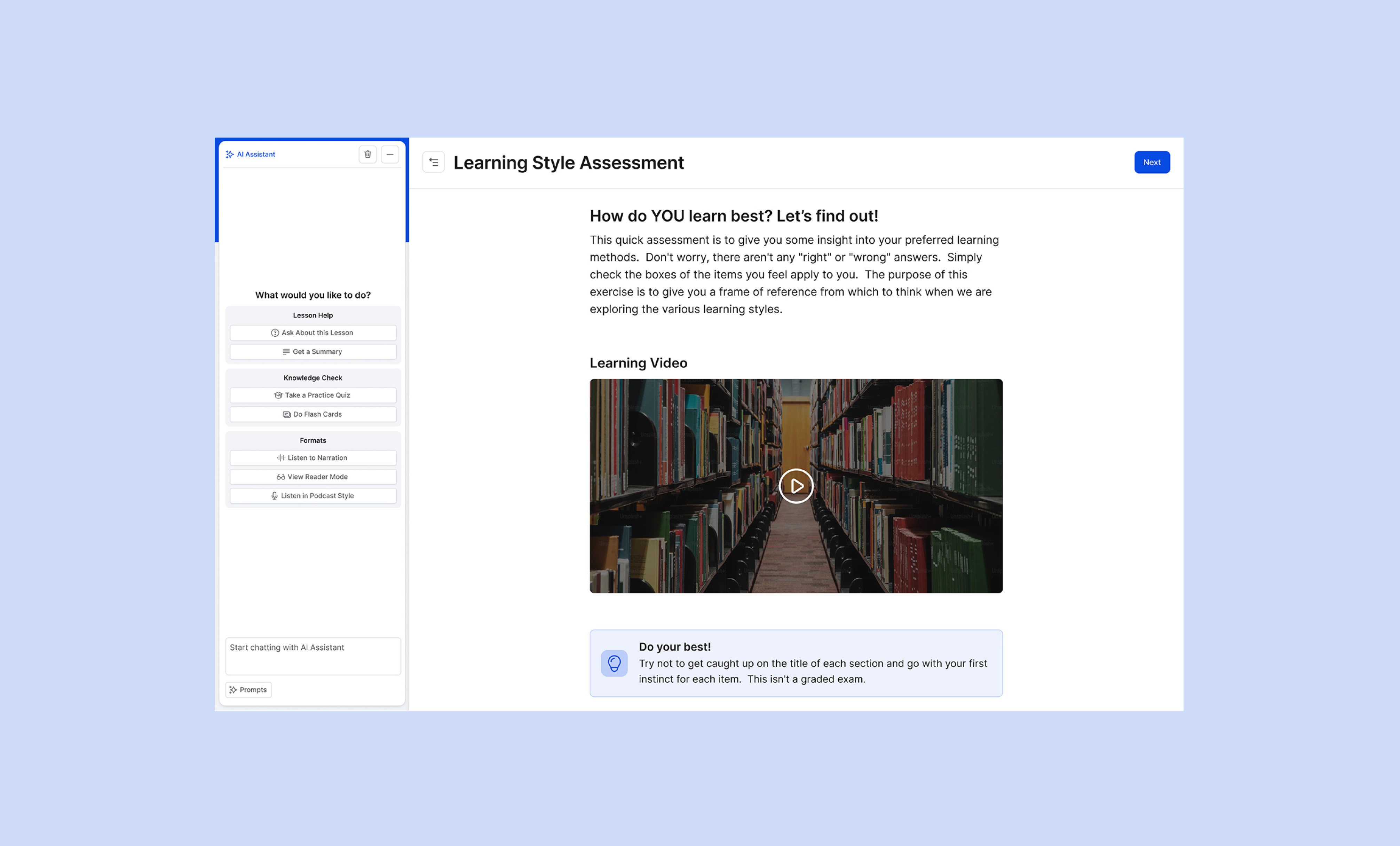
The context: WorkRamp already had AI-generated audio for lesson content. Leadership wanted to expand AI capabilities with an integrated assistant that could support comprehension through flashcard generation, preset prompts, and conversational Q&A.
The challenge: We were designing a feature driven by competitive needs rather than validated user needs. It wasn't clear whether learners would find this genuinely helpful or whether it would primarily serve as a demo-ready checkbox for sales.
Additionally, there was concern that AI could enable learners to shortcut the learning process rather than deepen it — a risk the Product Manager and CTO addressed through guardrails on what the assistant could and couldn't do.
My focus: Design an experience that would feel approachable, purposeful, and trustworthy — regardless of how the product strategy evolved.
2) Exploring Interaction Patterns
Working in this ambiguous space, I focused on defining the core UX decisions:
Entry points:
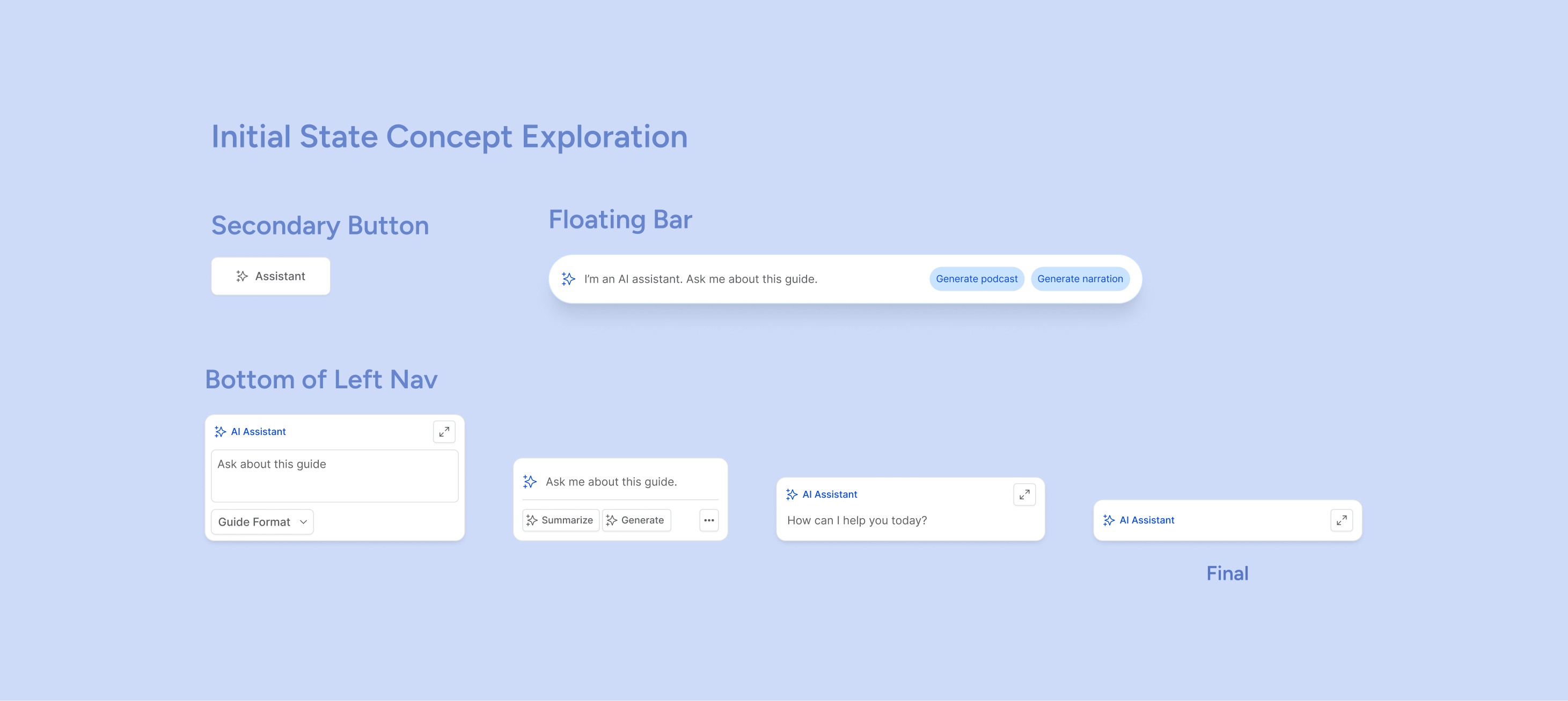
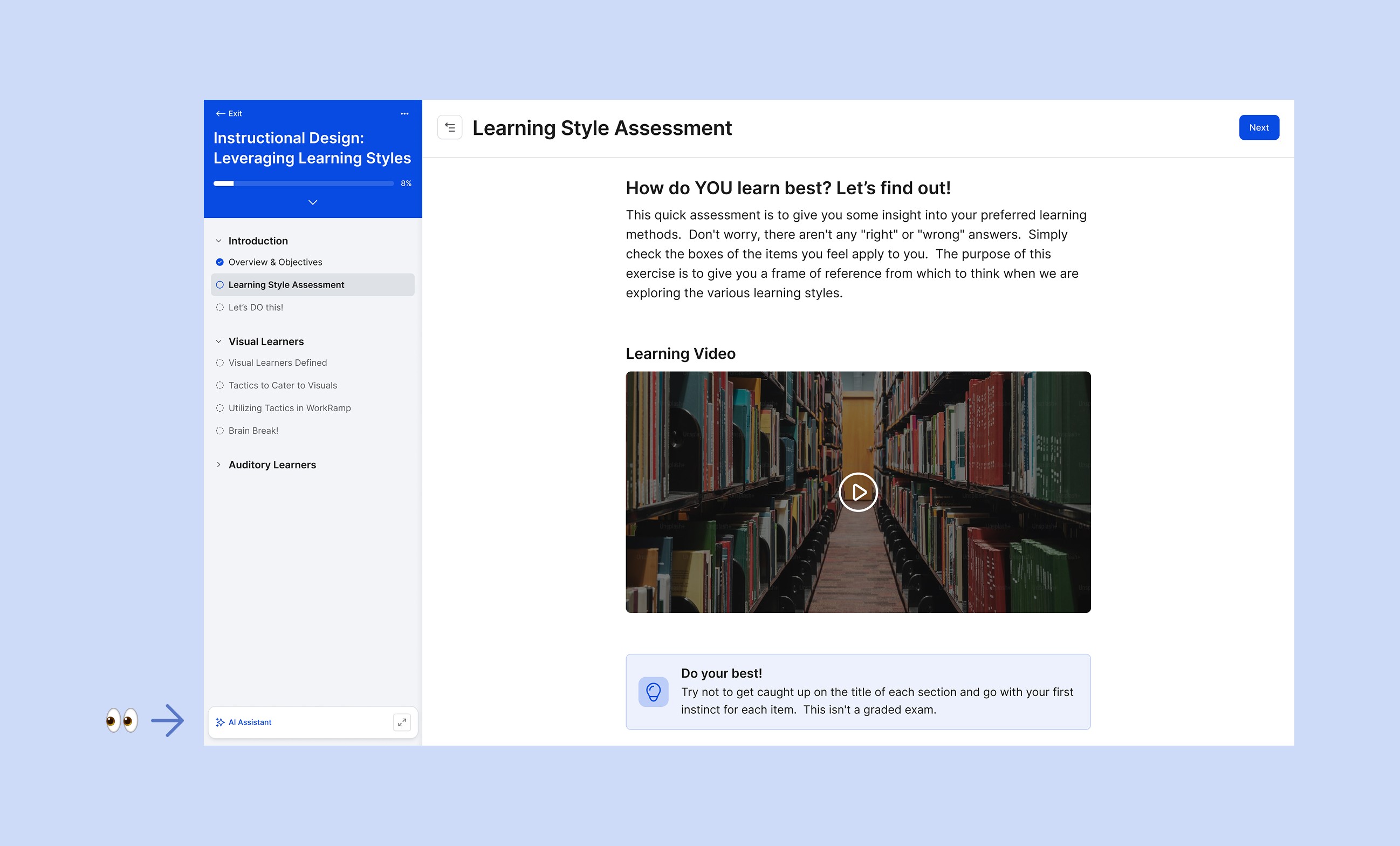
How should learners discover and access the assistant?
Floating button vs. embedded interface
Chat panel positioning (left vs. right)
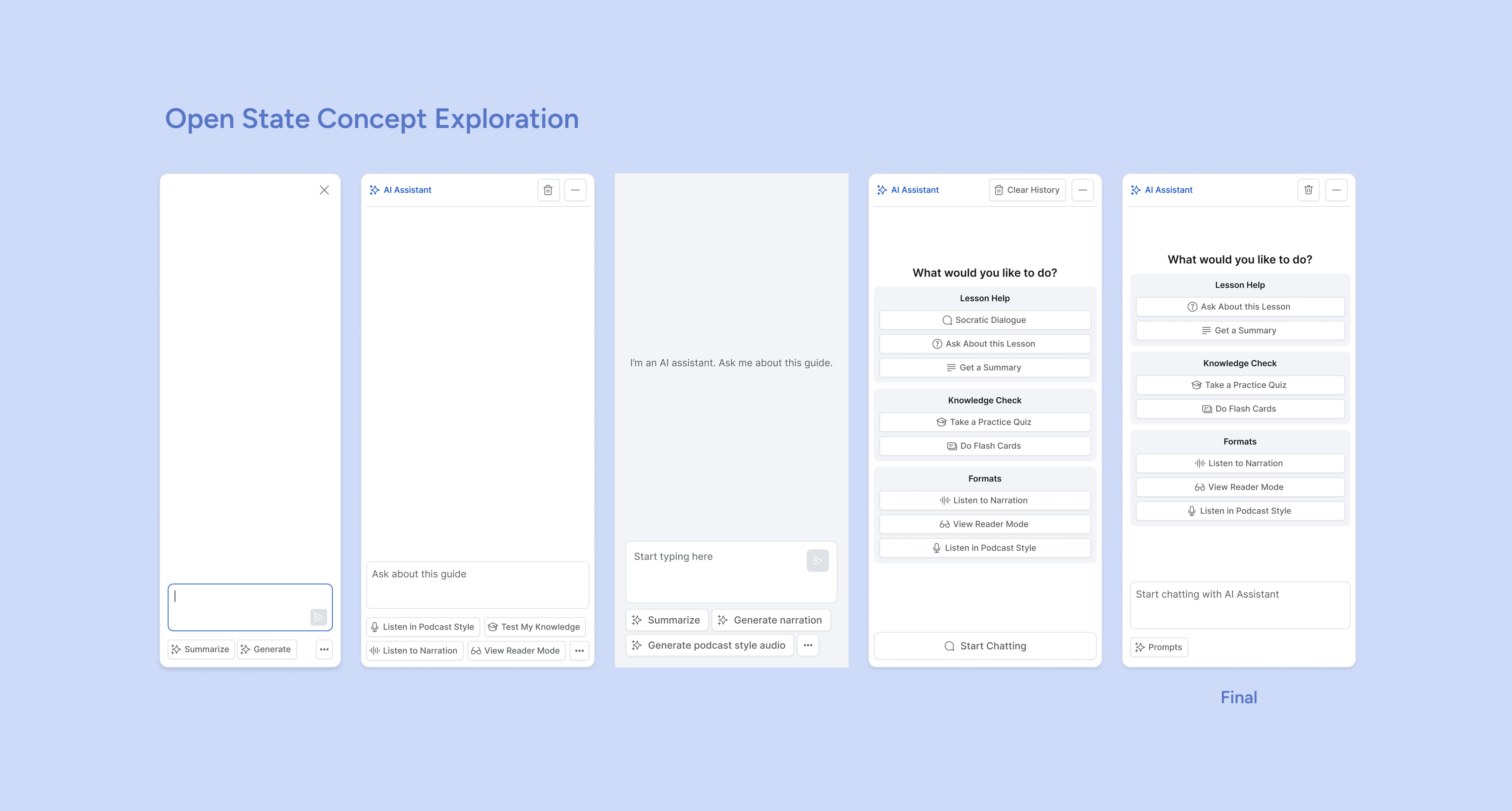
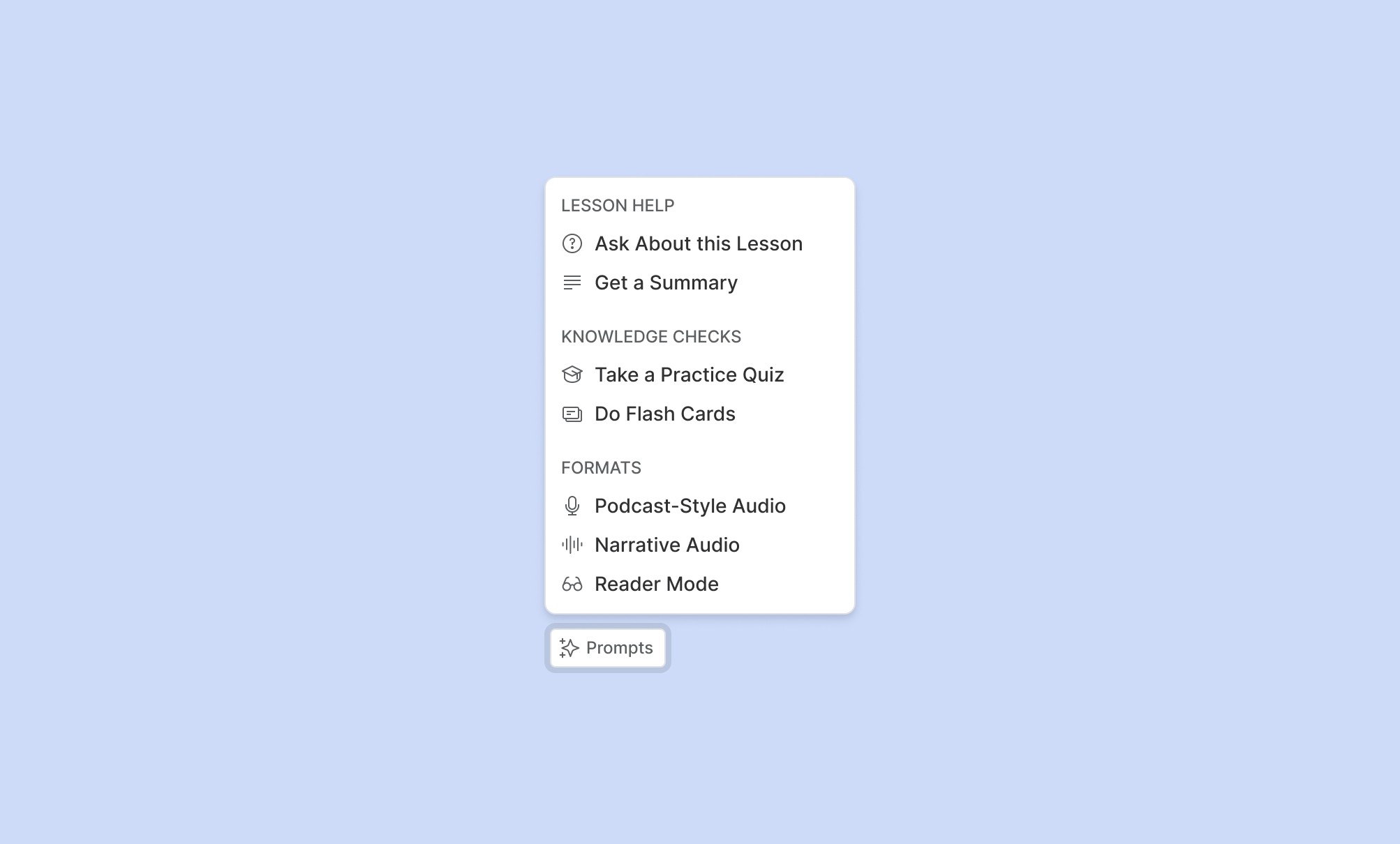
Preset prompts:
How do we help learners understand what the assistant can do?
What kinds of interactions should we suggest?
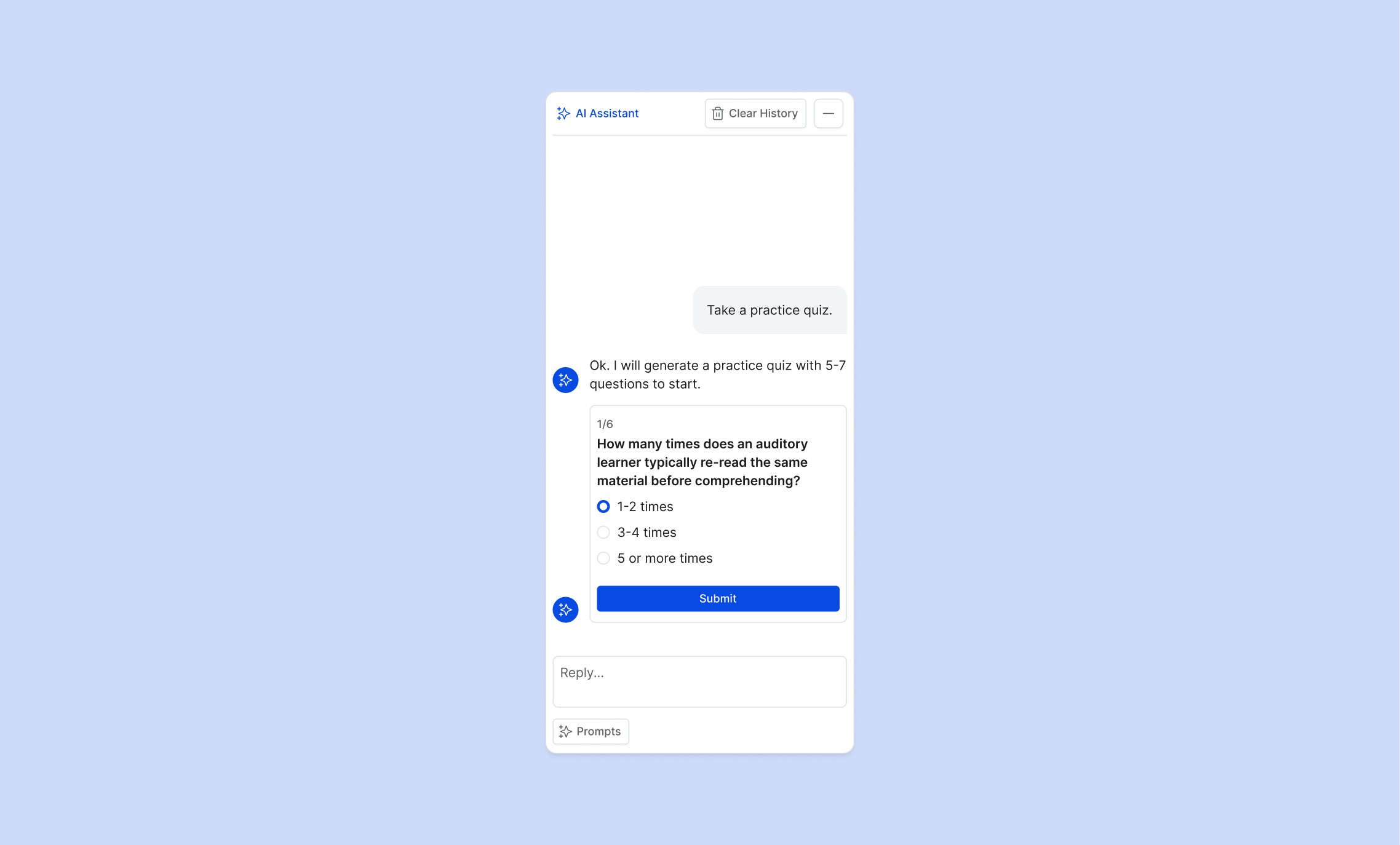
Chat states:
Initial state, active conversation, empty state, error handling
How do we maintain context within the lesson?
I explored multiple directions to understand which patterns would feel natural and which would feel intrusive or gimmicky. I presented design iterations to the CEO, CTO, and product team on a 1-2 week cadence, gathering feedback and refining the approach based on their input and evolving strategic priorities.
3) The Design Framework
The exploration resulted in a design framework that defines how AI assistance should work in a learning context.
Key principles
Approachable but not intrusive: Available without demanding attention
Guided interactions: Preset prompts help learners get started
Contextual and trustworthy: Grounded in lesson content, not generic AI responses
This framework will guide future development as the product strategy becomes clearer.
4) Next Steps: Validation and Iteration
The AI Assistant recently launched, and the team plans to closely monitor usage to validate the design decisions and inform future iterations.
What we'll measure:
Which preset prompts see the most engagement (to understand how learners naturally interact with the assistant)
When and why the assistant can't fulfill requests (to improve prompt design, training data, and feature scope)
Whether learners find genuine value or use it to bypass learning
This feedback-driven approach will help determine where AI can most meaningfully support comprehension versus where human-centered design remains essential — and ultimately, whether this feature solves a real problem for learners.